Browser-based scanning
Used Playwright and Chromium at 390 px and 1440 px to inspect sampled Hindi and Kannada text, language metadata, character clusters, font usage and layout geometry.
Case study · BharatCode Build League 2026
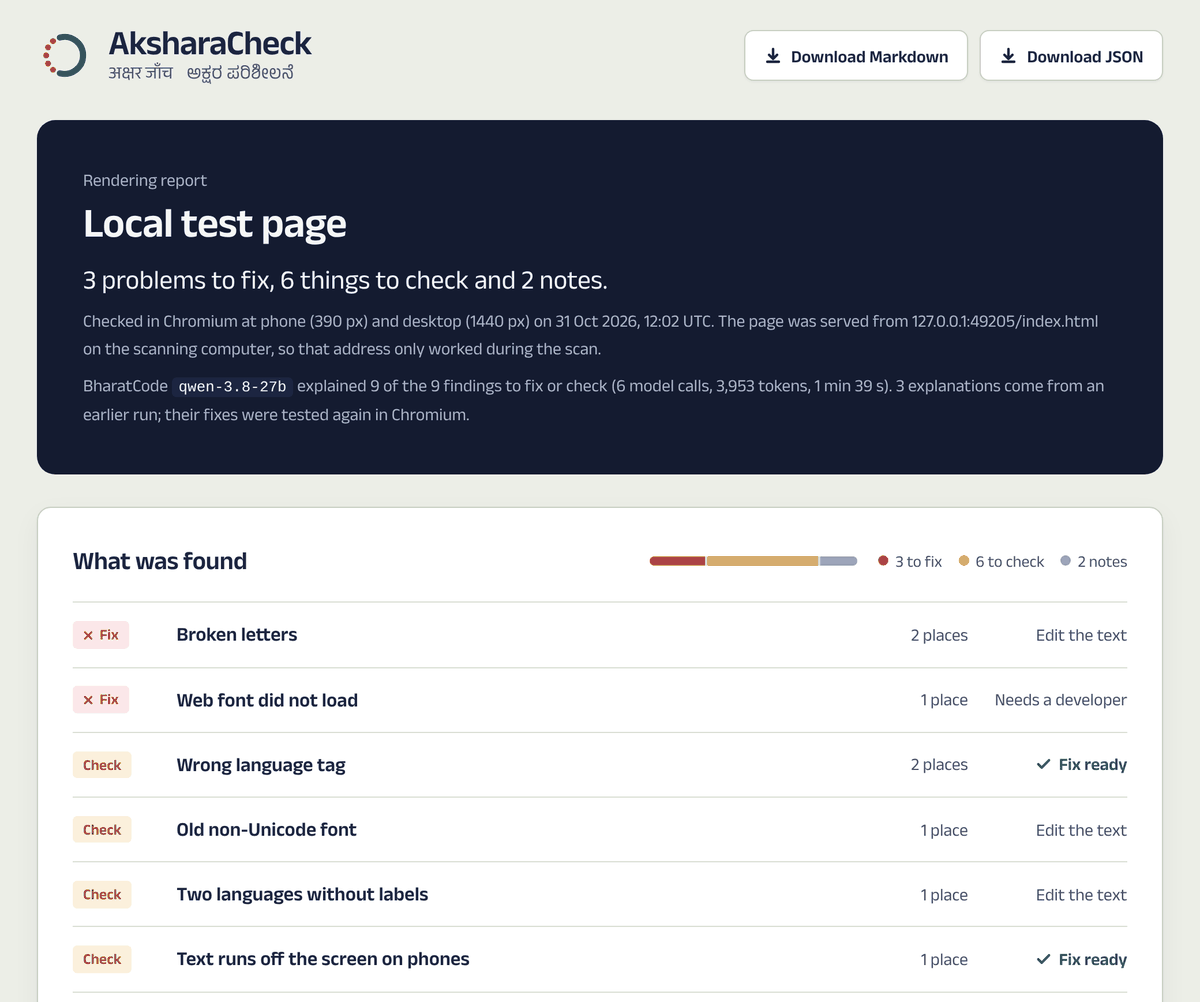
What began as a BharatCode hackathon challenge became a browser-based audit tool for Hindi and Kannada text. I built a workflow that finds evidence in Chromium, uses BharatCode AI to explain actionable findings, and tests proposed fixes in a fresh browser before trusting them.
From hackathon idea to working product
I began AksharaCheck for the BharatCode Build League 2026, where I wanted to use the model for a problem that could be demonstrated and measured, not just generate text. I focused on Hindi and Kannada because webpages can render these scripts incorrectly in subtle ways: character combinations, font fallback, language labels and mobile clipping.
The first step was a deliberately broken test page. That gave me known cases to detect, explain and repair. I then developed a browser scanner, connected BharatCode's Responses API, built evidence-rich reports and a public React showcase, and tested the rules against real websites.
It grew beyond the original demo through iteration: each unexpected result from a real site became a reason to investigate the detector rather than assume the website was wrong.
The problem
A screenshot alone cannot explain whether a Kannada vowel sequence is malformed, whether a font substitution is intentional, or whether a line is actually clipped. An AI model can also suggest a plausible repair that makes things worse. I wanted a tool that separates measurement, explanation and verification, with the browser as the source of truth.
What I built
Used Playwright and Chromium at 390 px and 1440 px to inspect sampled Hindi and Kannada text, language metadata, character clusters, font usage and layout geometry.
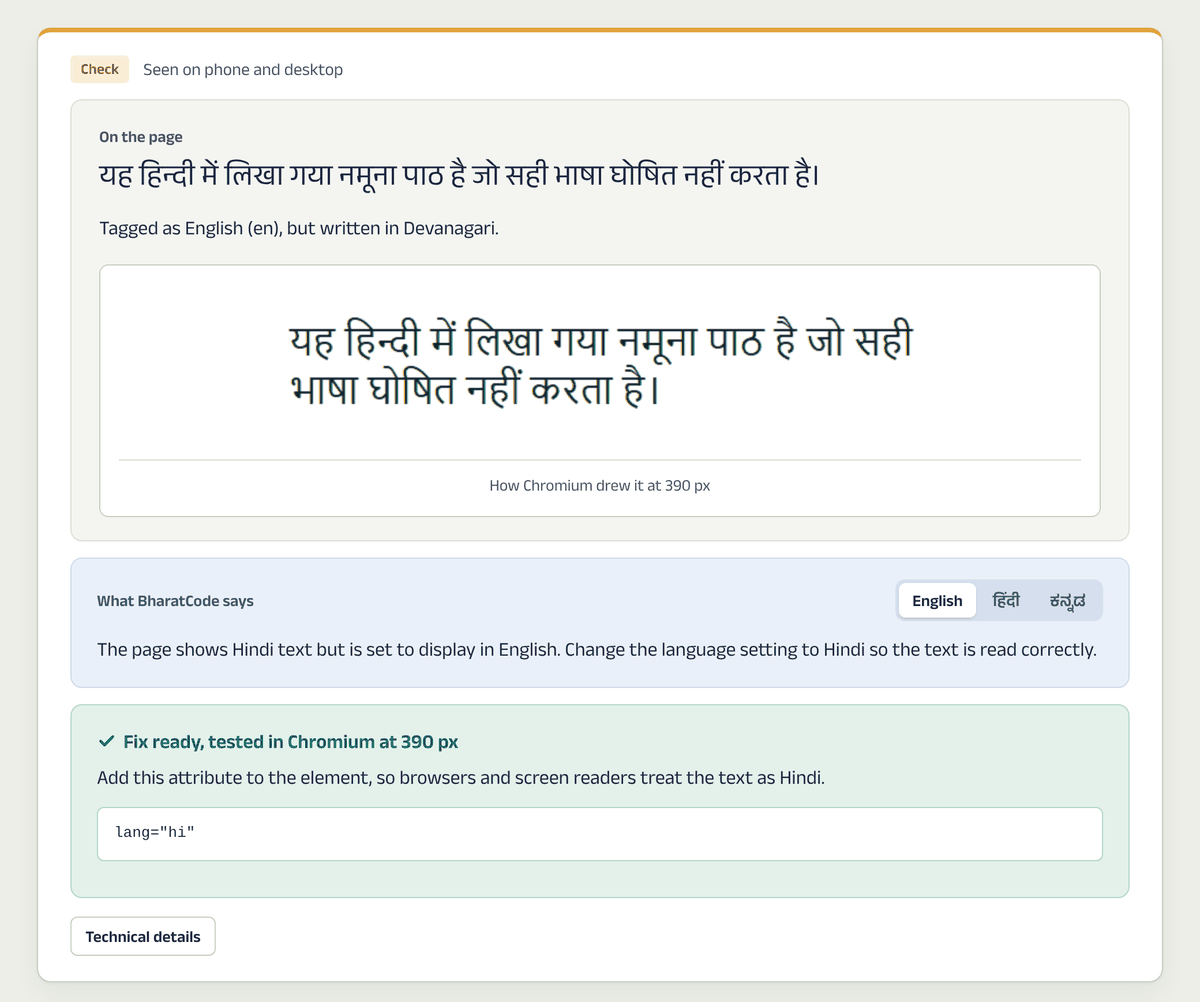
Integrated the BharatCode streaming Responses API to explain actionable findings in English and provide Hindi and Kannada summaries. Model suggestions are limited to permitted CSS properties or a language tag.
Applied proposed repairs in a fresh Chromium context, checked that the issue cleared without sacrificing visibility, and preserved rejected attempts instead of treating every model suggestion as correct.
Generated standalone HTML, JSON and Markdown reports with screenshots, measurements and attempts; built a React/Vite site for viewing recorded reports and checking pasted text.
Architecture and engineering choices
The scanner produces findings from browser observations. BharatCode explains them but never invents the underlying finding.
The verifier accepts only restricted CSS changes or a lang attribute and tests each proposal in an isolated browser page. It never edits the third-party website.
Handled provider stream failures with retries, useful diagnostics and checkpoints so a completed explanation could be reused while the scanner and fixture remained unchanged.
Iteration and debugging
The early Karnataka Varthe scan flagged the valid Kannada loanword ಆ್ಯಪ್ as broken. That exposed a limitation in the original Unicode rule. I narrowed the rule and added regression tests instead of claiming a government-site defect. Other checks were improved to exclude collapsed or off-screen elements and trace inherited language tags back to their parent element.
A DD News Hindi scan initially produced 63 informational font and line-spacing observations. After reviewing the screenshots and Windows font behavior, I refined the rules for ordinary line heights and expected Devanagari fallback. A fresh scan recorded zero findings at the tested widths. This was a correction to AksharaCheck, not a change to DD News.
I also worked through BharatCode stream interruptions, resilient progress saving, report re-rendering, multilingual fonts and responsive browser QA. These were engineering problems that mattered as much as the initial detection logic.
Recorded results and proof
On a deliberately broken test page, BharatCode explained 9 of 9 actionable findings, while Chromium verified four proposed repairs. The saved report includes before/after screenshots and a rejected-then-accepted attempt trail.
A browser-only scan found 72 sampled Kannada text observations inheriting lang="en" from the page's HTML element. These share one language-tag source, rather than representing 72 distinct defects. One separate possible overflow finding still requires visual confirmation.
A corrected browser-only scan produced no findings at the tested widths, with 162 sampled text elements on mobile and 213 on desktop. Both page screenshots are preserved as evidence of what was checked.
These reports are dated browser snapshots, not full accessibility certifications. The public site hosts recorded results and a text checker; the live Chromium scanner is run locally.
What I learned
AksharaCheck gave me practical experience combining Python, browser automation, API streaming, defensive validation, test-driven debugging and a deployed React showcase. The biggest lesson was that a lower finding count can be a better engineering result when it comes from more precise rules and honest evidence.
This was an independently developed hackathon project with AI-assisted planning, coding and debugging. I reviewed and iterated on the implementation and kept reproducible tests and recorded outcomes in the public repository. I have not presented it as an award-winning or formally certified audit tool.